User Guide
Learn how FlashFlash handles Guide Number, zoom, distance, filter compensation, and aperture or power calculations on iPhone and iPad.
Read the user guideFlash Power Calculator
Know your flash settings before you shoot. FlashFlash solves both directions of the Guide Number formula: tell it your aperture and it calculates the power to set — or tell it the power and it calculates the aperture you need. On camera or off, you nail the exposure every time.

Available on iOS

Built for photographers who shoot with manual flash — on a hot shoe, on a stand, or anywhere in between. Whether you're working a wedding reception, a portrait session, or a bare-bulb studio setup, FlashFlash takes the guesswork out of setting flash power and gets you to a correct exposure in seconds.
FlashFlash is built for photographers who want a practical answer, not generic flash theory. Use the user guide if you want the app workflow, or start with the blog if you want the concepts explained in plain language.
Learn how FlashFlash handles Guide Number, zoom, distance, filter compensation, and aperture or power calculations on iPhone and iPad.
Read the user guideRead practical articles on guide numbers, manual flash settings, and how to set flash power without a light meter.
Browse the blogEnter your flash's Guide Number, aperture, ISO, and subject distance. FlashFlash instantly calculates the exact power fraction required — shown as a standard setting like 1/4 or 1/16.
Working the other way? Set a power level and FlashFlash tells you exactly which aperture to use. The inverse Guide Number formula, snapped to a real f-stop — so you can plan your shot before you even set up the light.
Select your flash from a built-in database of over 100 models — Godox, Canon, Nikon, Sony, Profoto, Elinchrom, and more. The Guide Number auto-fills and switches between metres and feet automatically.
Different zoom positions change your flash's effective output. Select your zoom setting from 24mm to 200mm and FlashFlash adjusts the Guide Number multiplier accordingly.
Using ND filters, gels, or diffusion material? Dial in the stop value and FlashFlash factors it into the power calculation so your exposure stays accurate.
A real-time scene shows your flash, subject, and the light cone at the calculated intensity. Aperture or power and ISO badges update instantly so you can sanity-check the setup before the first shot.
Toggle between metric and imperial at any time. Guide Numbers and distances both switch units instantly, and active flash presets automatically serve the correct GN for the selected unit.
It's a single number — printed in your flash's manual — that describes how powerful your flash is. Think of it as a budget of light you have to spend.
A higher ISO makes your camera more sensitive, so the flash doesn't need to work as hard. Zooming the flash head concentrates the beam. Filters absorb light. FlashFlash accounts for all of it automatically.
Enter your aperture, ISO, and how far away your subject is. FlashFlash works out precisely which power fraction to set on your flash — full, 1/2, 1/4, 1/8, and so on — so your first shot is a correctly exposed shot.
Your flash is right there on the camera — so the light travels from your camera straight to your subject. Set the distance to however far away your subject is, enter your aperture and ISO, and FlashFlash tells you exactly where to set the power dial.
No test shots. No chimping. Walk into a room you've never been in and get a correctly exposed frame on your first press of the shutter.
The moment you move a flash off camera, one thing changes that most photographers overlook: the distance that matters is no longer how far you are from your subject — it's how far the flash is from your subject. Those two distances are rarely the same, and the difference directly affects how much power you need.
Picture a portrait setup. Your camera is eight feet from the subject. Your flash is on a stand two feet to the side and three feet away. If you set distance to eight feet, you'll underexpose. The flash only has to throw light three feet — a fraction of the power is needed. Get that number wrong and no amount of tweaking aperture or ISO will give you an accurate starting point.
FlashFlash asks for flash-to-subject distance, not camera-to-subject distance. Move your light wherever the shot demands — close in for a soft, wrapping source, pull it back for something harder and more dramatic, flag it, bounce it — then measure or pace out that one distance and enter it. FlashFlash handles the rest, and you start shooting from the right power setting instead of working backwards from a bad guess.
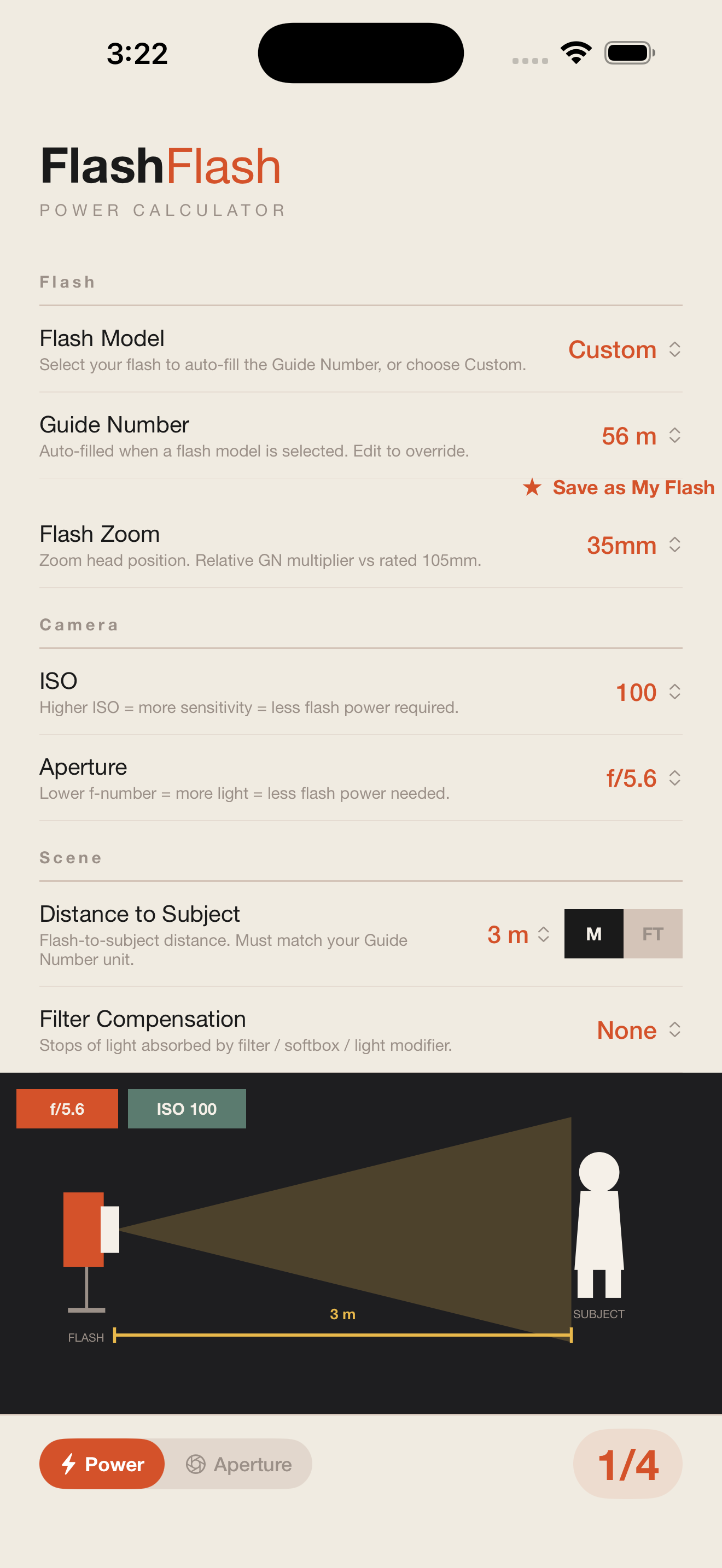
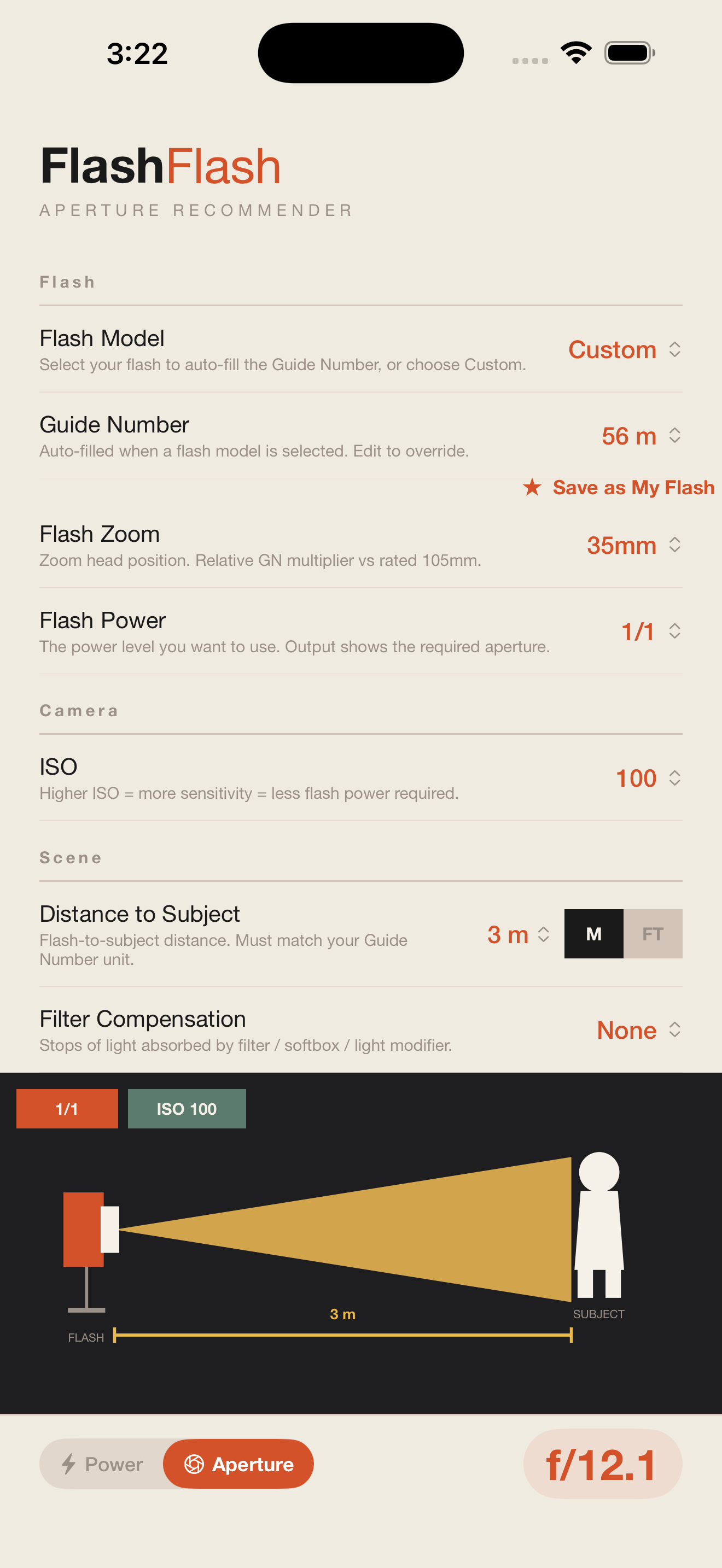
Two core workflows, one app: calculate flash power or solve for aperture before the first frame.
One purchase, no subscription, no account required. Works offline, always.
iPhone & iPad · iOS 16+